GB WhatsApp Stickers: Add & Create Easily (2025)
Learn how to add, manage, and create stickers in GB WhatsApp 2025. Follow our step-by-step guide to make your chats more fun and expressive.
Looking to make your GB WhatsApp chats more fun and expressive? Adding stickers in GB WhatsApp is the easiest way to bring life to your conversations. Whether you love sharing memes, funny faces, or personalized reactions, GB WhatsApp stickers can instantly make your messages more engaging and entertaining.
If you’ve ever felt limited by the official WhatsApp’s sticker options, don’t worry, you’re not alone. Many users prefer GB WhatsApp because it offers more freedom to use custom stickers, third-party sticker packs, and even your own creations. In this guide, you’ll learn step-by-step how to add, manage, and create stickers without any confusion or errors.
This article is written with the latest WhatsApp GB 2025 update in mind, ensuring accuracy and safety. As a trusted resource for GB WhatsApp tutorials, we’ll walk you through proven methods that actually work, no spammy apps or risky downloads. By the end, you’ll know everything about using GB WhatsApp stickers like a pro, safely and creatively.
What is GB WhatsApp Stickers?
Stickers in GB WhatsApp are fun, expressive images or graphics you can send in chats to show emotions, reactions, or humor more vividly than plain emojis. Unlike regular WhatsApp, GB WhatsApp gives users extra flexibility. You can use custom stickers, animated sticker packs, and even import designs made by other users. Think of them as tiny visual messages that make your chats more personal and engaging. Whether you’re replying with a funny meme or a cute reaction, GB WhatsApp stickers turn every conversation into something lively and unique.
See the difference between the GB WhatsApp and Official WhatsApp.
How to Add Stickers in GB WhatsApp (Step-by-Step Guide)
1. Using Built-in Sticker Packs
To start, open GB WhatsApp and tap the emoji icon beside the chat box. Next, go to the Stickers tab and select “+” to browse available packs. Choose your favorites and tap Add — they’ll instantly appear in your sticker panel, ready to use in chats.
2. Adding Custom Stickers Manually
Want something unique? Download apps like Sticker Maker or WAStickerApps from trusted sources. Create your custom stickers using your photos or designs, then export them directly to GB WhatsApp. Within seconds, your personalized stickers will be ready for use.
3. Importing Stickers from Other Users
If a friend sends you cool GB WhatsApp stickers, just tap on one and select “Add to Favorites” or “Add to My Stickers.” This way, you can easily expand your sticker collection without downloading separate packs.
How to Create Your Own Stickers for GB WhatsApp
Choose a Sticker Creation Tool
- Use trusted apps like Sticker Maker, PicsArt, or Canva to design your GB WhatsApp stickers.
- These tools let you turn your photos, emojis, or artwork into fun sticker designs.
Follow the Right Format Requirements
- Save stickers in PNG format for clear quality.
- Use a transparent background so they blend perfectly in chats.
- Keep each image around 512×512 pixels for best performance.
- Each pack must contain at least three stickers to upload on GB WhatsApp.
Export and Add to GB WhatsApp
- After designing, use the same sticker app to export your sticker pack to GB WhatsApp.
- Open GB WhatsApp → go to Stickers Tab → find and use your custom stickers instantly.
Best Sticker Apps for GB WhatsApp in 2025
- Sticker.ly – Sticker Maker
Huge library of animated and static GB WhatsApp stickers with an easy export option. - Stickify
Lets you create custom sticker packs, add emojis or memes, and share directly to GB WhatsApp. - Wemoji
Simple tool for editing and removing backgrounds to make personalized stickers.
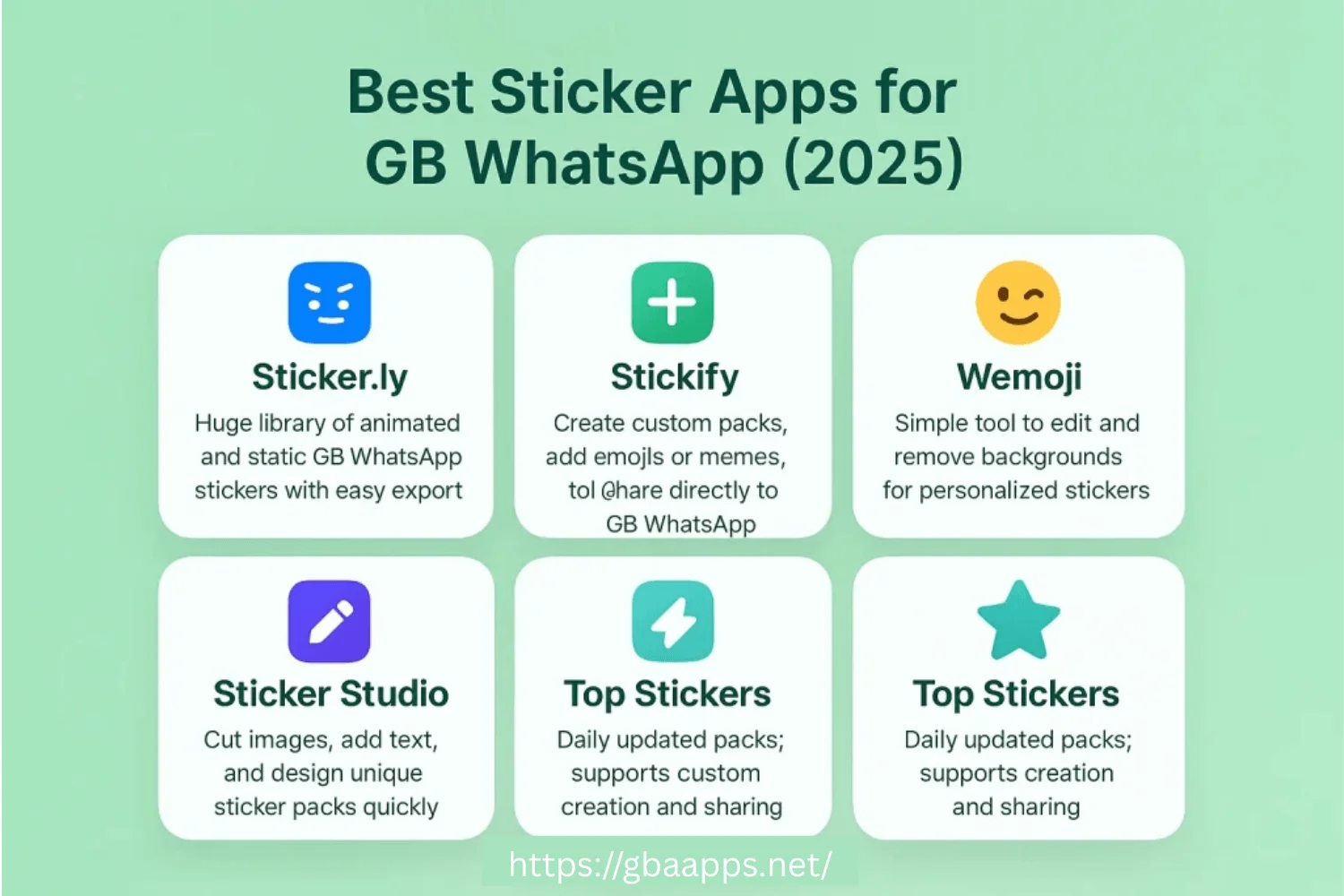
- Sticker Studio
Allows users to cut images, add text, and design unique sticker packs quickly. - Top Stickers
Offers daily updated sticker packs and supports custom creation and sharing.
Benefits of Using Stickers in GB WhatsApp
- Enhances Expression – GB WhatsApp stickers let you express emotions better than plain text or emojis, adding more personality to your chats.
- Makes Conversations Fun – Funny or animated sticker packs make your chats more lively and engaging.
- Supports Custom Creations – You can design and use custom stickers, giving your conversations a personal and creative touch.
- Saves Time While Messaging – Instead of typing long replies, one perfect sticker can instantly convey your mood or reaction.
- Unlimited Sticker Options – With third-party sticker apps, you can access thousands of free sticker packs without restrictions.
- Builds a Unique Chat Style – Using personalized GB WhatsApp sticker packs helps you stand out and make your chats truly yours.
Conclusion
Adding stickers in GB WhatsApp is one of the easiest ways to make your chats more expressive and fun. From using built-in sticker packs to creating your own custom designs, you now know how to personalize conversations effortlessly. With the right tools and apps, you can turn every message into something creative and full of personality.
Overall, using GB WhatsApp stickers isn’t just about fun — it’s about communication. They help you express emotions visually, save time, and keep chats lively. Just remember to use trusted sources for downloads and keep your app updated for smooth performance.
If you’ve got questions or face any issues while adding GB WhatsApp sticker packs, feel free to comment below. Share this guide with friends who love customizing their chats, and don’t hesitate to reach out to our support team for help anytime. We’re here to make your GB WhatsApp experience better!
FAQs

Awais Ahmad is the founder of gbaapps.net, a platform dedicated to GB WhatsApp downloads, app insights, and feature guides. With extensive hands-on experience testing GB WhatsApp and other WhatsApp mods, he combines technical knowledge with user-focused writing. Faraz personally tests and scans every APK before sharing it, and he regularly reviews each tutorial to keep it accurate and up to date.